
First impressions happen in seconds. A simple, well-made business card can spark a conversation and anchor your brand. Whether you’re trading it at an event or sliding one across a café table, the right design makes you memorable.
So let’s understand how to make a business card that actually leaves a mark.
How to Make a Business Card for Free
- Find Inspiration
- Finalize a Shape & Size
- Pick the Right Layout
- Choose a Color Palette & Fonts
- Add Your Logo & Brand Elements
- Balance White Space & Design Features
- Prepare for Print
- Share & Make Connections
We have discussed all these points in detail below.
1. Find Inspiration
Before jumping into design, we’ll take time to browse business card examples online. This will allow us to get an idea of what we like and what feels aligned with our brand. You can start by exploring some design inspiration websites like Pinterest, Dribbble, and Behance.
Make sure you keep saving the designs that catch your eye – whether it’s for their color scheme, font pairing, or overall layout. You can even create a small mood board on Pinterest.
2. Finalize a Shape & Size
The standard size of a business card is 3.5 x 2 inches (9 x 5 cm). But there are no rules set in stone! If you’d like to stand out, consider alternative formats, such as square, folded, or rounded designs like this:
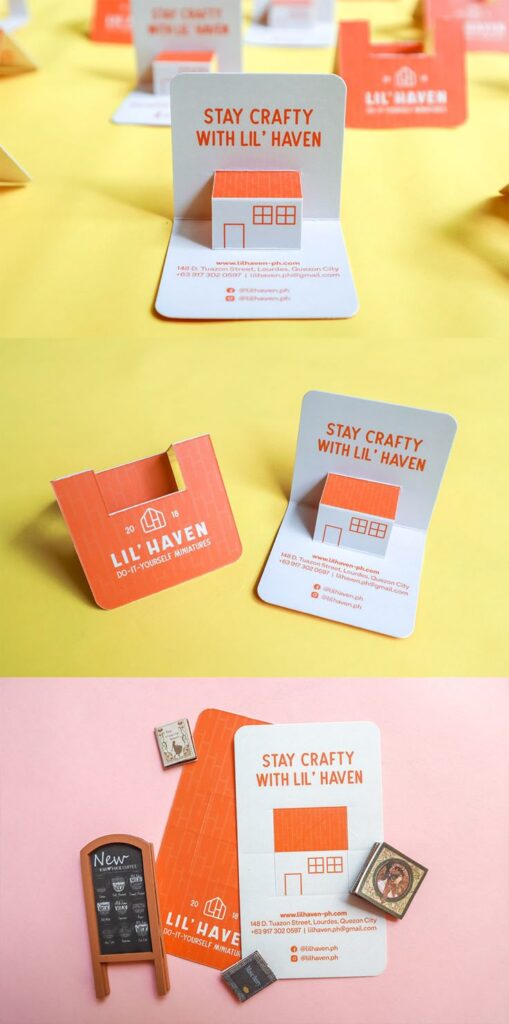
Or if you are feeling really bold, you can try business cards shaped as your product:
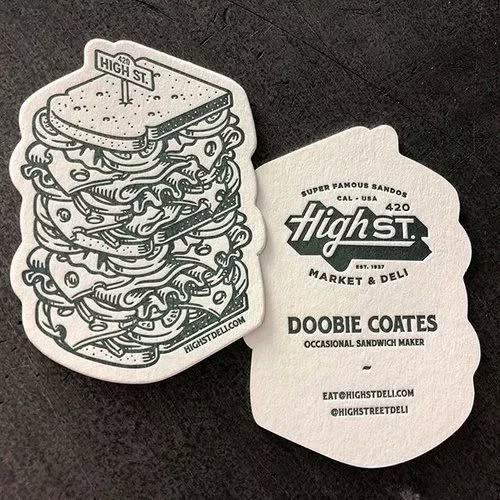
Just use this quick reference guide to explore different business card sizes and choose the one that best fits your brand.
3. Pick the Right Layout
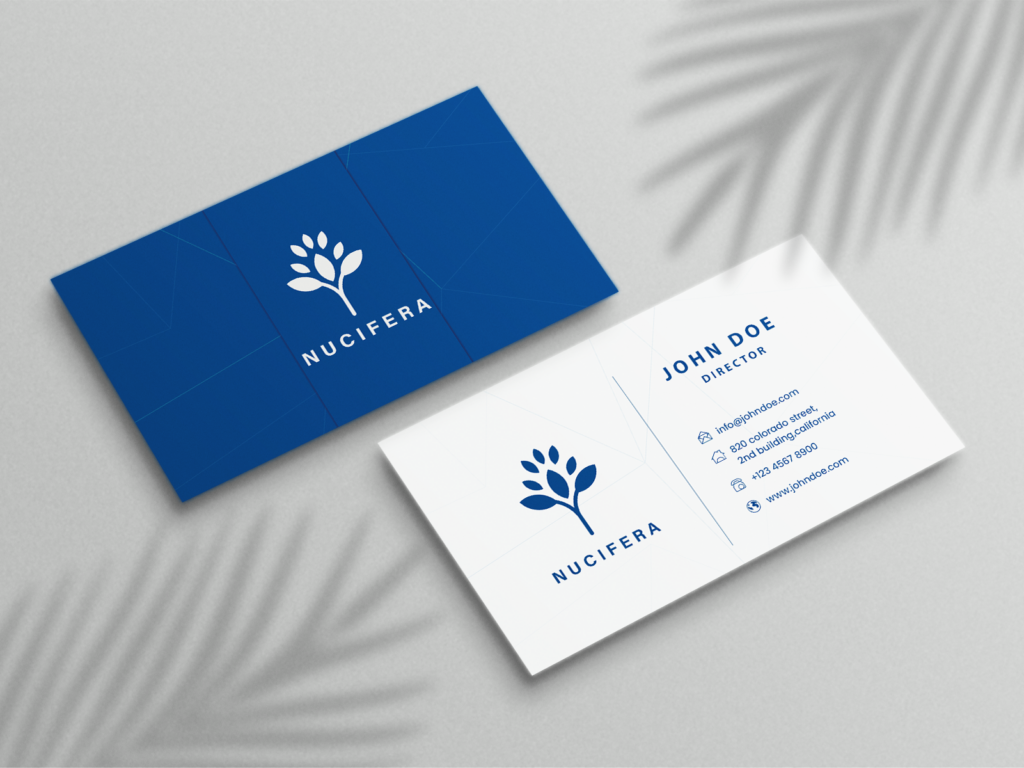
Once you’ve finalized the size and shape, the next step is arranging your information in a way that’s easy to read and visually appealing. This is the time to think about hierarchy – what do you want people to notice first? It could be your logo, your business name, or the contact information. The important rule is to keep things balanced and avoid overcrowding the space.
If you have more information, you can opt for a double-sided layout as it gives you more room.
4. Choose a Color Palette & Fonts
These are the two most crucial aspects in learning how to make a business card. They not only set the mood but also reflect your brand’s personality. Therefore, the first thought is to opt for the brand colors to maintain consistency. But that’s not always the case. You can experiment and introduce complementary shades or accent colors to highlight details.
The fonts are a little trickier. You’ll need to ensure that your brand fonts translate well into print. While some typefaces look great on a screen, they may appear too thin, distorted, or hard to read when printed on paper. So make sure you test different weights and sizes, and if your brand font doesn’t work well in print, choose the closest alternative.
5. Add Your Logo & Brand Elements
Now we are adding the final touches with our brand elements. This includes your logo, a tagline (if required), and other visual identifiers that make your brand stand out. These need to be clear and visible as they anchor the entire design.
However, they shouldn’t take up too much space. The key is placing them strategically so they enhance the layout without overwhelming the essential details like your name, contact information, or call to action.
6. Balance White Space & Design Features
We want to take a step back and make sure the design doesn’t feel overcrowded. A business card has limited real estate, and trying to squeeze in too much information or too many graphics can make it look messy.
You need white space or the empty areas around text and visuals. These will help create balance and highlight important details. If it sounds confusing, go back and look at the reference images you found in the beginning.
This is also the stage where you can consider getting professional help from our designers. We’ll help you refine the layout, balance every element, and ensure your card looks clean, modern, and easy to read. Just sign up and let’s get started!
7. Prepare for Print
Before you hit ORDER, make sure the digital design is properly set up for printing.
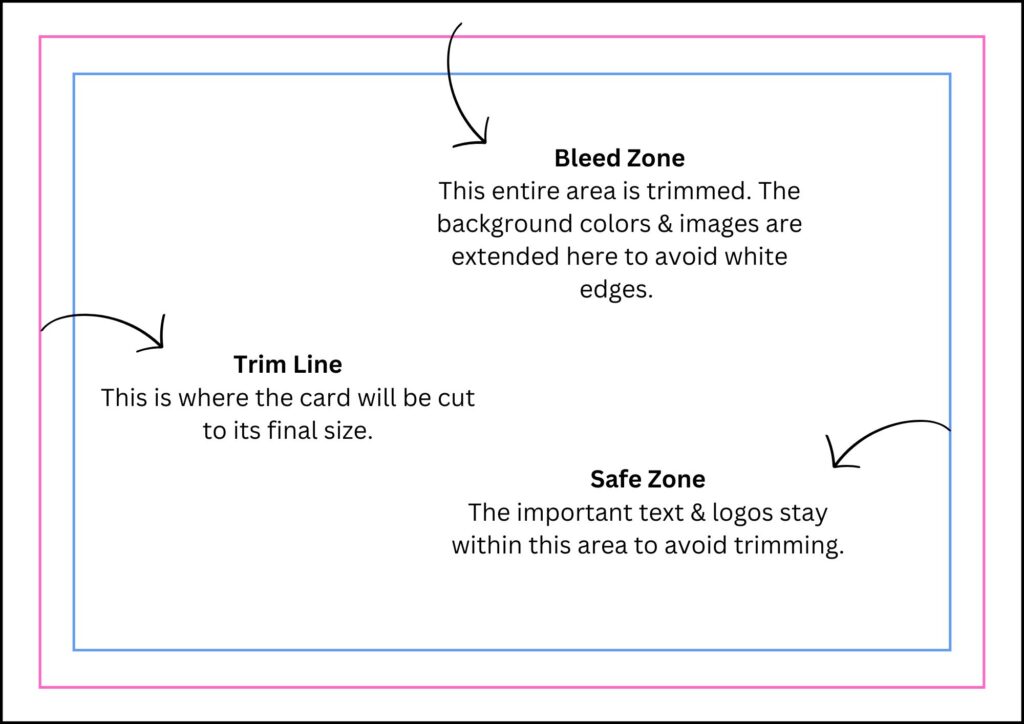
Start by checking dimensions and bleed areas – printers usually require extra space around the edges to avoid cutting off important details. Your text should be inside the safe zone.
You’ll also need to choose the right color mode because the designs for screen use RGB, but printers need CMYK for accurate colors. This simple switch can save you from a big surprise when your cards arrive.
Finally, double-check all details, including your name, title, contact info, and logo placement, before sending the file off. One small typo can mean reprinting the entire batch.
8. Share & Make Connections
Once it’s all done, you can start handing them out at networking events, client meetings, conferences, or even casual conversations when someone asks what you do.
The beauty of a well-designed business card is that it makes you memorable long after the conversation ends. It will be a physical reminder of your brand that people can easily keep, share, or pass along to someone who might need your services.
Summing Up: How to Make a Business Card Online
Creating a business card that truly represents your brand doesn’t have to be complicated. With the right approach and the right tools, you can build something memorable and professional.
But if you would rather skip the DIY route and get high-quality, custom designs without the guesswork, we’ve got you covered. Just sign up for our unlimited graphic design services today.




0 Comments