
Reels are dominating the marketing space, but if you’re just starting out, it’s easy to feel lost in the trend. That’s where this article comes in – a simple, step-by-step guide to help you plan, film, and post your first Instagram Reel with confidence.
Let’s get started.
How To Make An Instagram Reel
- Finalize a Concept
- Plan Video Footage
- Pick Good Music
- Shoot the Content
- Start Editing
- Choose a Cover & Caption
- Preview & Post
Below, we have explained each point in more detail to help you learn how to make an Instagram Reel.
1. Finalize a Concept
We’ll begin by deciding what we want in our reel. There are a bunch of trends and concepts that circulate on Instagram every week. Think about the transition videos, then vs. now trend, or a simple dance routine. These are viral formats that give you a great starting point. But you can always try something new.
The important thing is that you clearly know what you want to share (your message) and why (your goal).
For example, if you own a café, you might want to share “behind the scenes of creating a signature drink” to promote your new seasonal menu. Or, if you run a fitness studio, you might share client transformations to inspire your audience and attract new members.
2. Plan Video Footage
Once you’ve nailed down your concept, it’s time to plan what visuals you’ll need. In most cases, you’ll need small snippets of different moments that come together to tell your story. You should start by writing down all the shots (intro, product close-ups, transitions) you want to capture so you don’t miss anything while filming.
Another option is including stock videos, but relying on them too much can make your content feel generic and less personal. So, we’ll recommend using them sparingly – only to fill small gaps or enhance your story.
3. Pick Good Music
Music or audio can make or break your reel. You would want to use something that’s trendy, but it’s important to ensure that it matches your brand identity. You can start by scrolling through reels to spot recurring songs or sounds you like. Then simply save them so you can later sync your clips or transitions perfectly to the beat when editing.
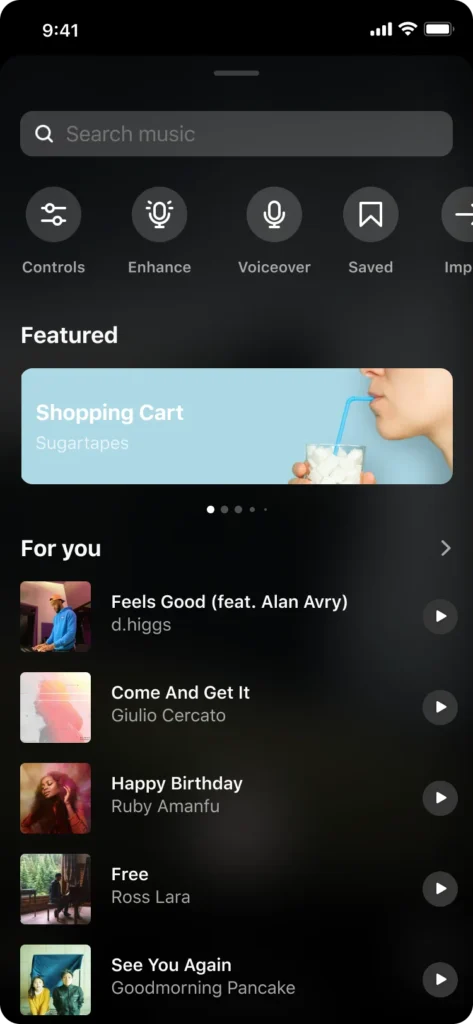
If you are making behind-the-scenes or day-in-the-life style videos, you can also use original sounds to make your content more authentic.
4. Shoot the Content
Now comes the fun part – creating the actual content! You can either record directly using the Instagram Reels camera or shoot with your phone’s camera app and upload the clips later. Both options work great, depending on how much control you want over your shots.
For example, when filming in the app, you can easily use built-in tools like the timer, speed control, and alignment guides to make transitions smooth and seamless. But if you need more flexibility, use your phone camera. This way, you can record in higher quality, use different angles, or edit your clips later in another app.
5. Start Editing
Once you’ve got your clips ready, it’s time to piece them together. As we previously mentioned, if you’re using the built-in editor, you can make all the adjustments within the app. You will get limited options, but the biggest advantage is convenience.
However, if you choose an external editing app, you’ll be spoiled for choice. We have this article on the best editing apps for Instagram Reels and video editing software for Instagram Reels. But our top recommendations will be CapCut and InShot. You can use any of these tools to level up your video and stand out.
6. Choose a Cover & Caption
Now we are coming to the details that are often overlooked until the last minute. But these make a huge difference to how your reel performs. Let’s start with the cover – it’s sort of a thumbnail that appears on your profile grid.
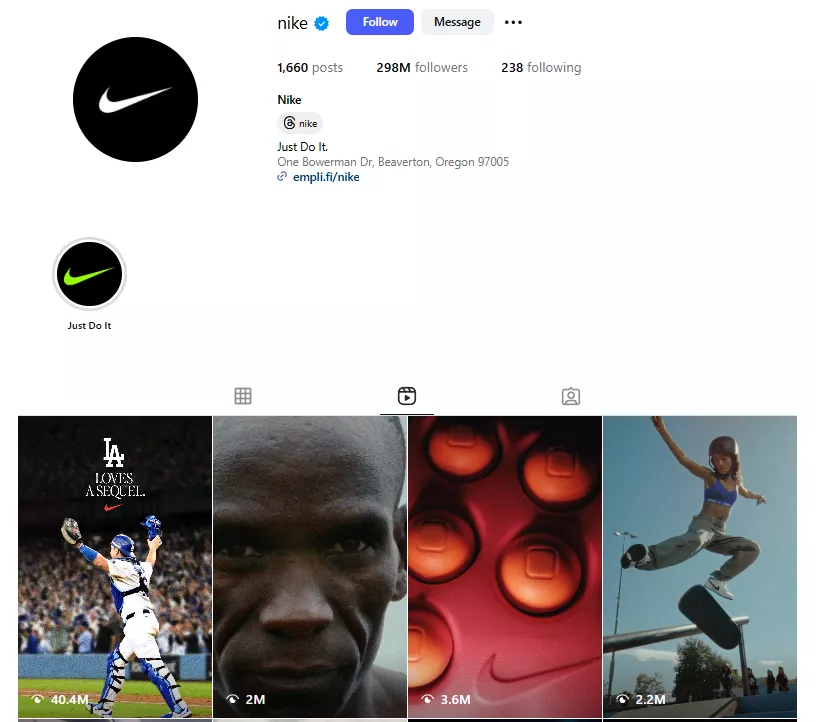
You have two options: select a still frame from your video or upload a custom image. While there’s nothing wrong with either option, it really depends on your content. Just remember that a still frame would look more authentic, and a custom cover will help you maintain a consistent aesthetic on the grid.
Next, we focus on the caption. It’s where you can add personality, context, or even a little humor. We recommend starting with a catchy hook or one-liner to grab attention, then add some additional content for storytelling (optional), and end with a line that encourages engagement.
Here’s an example:
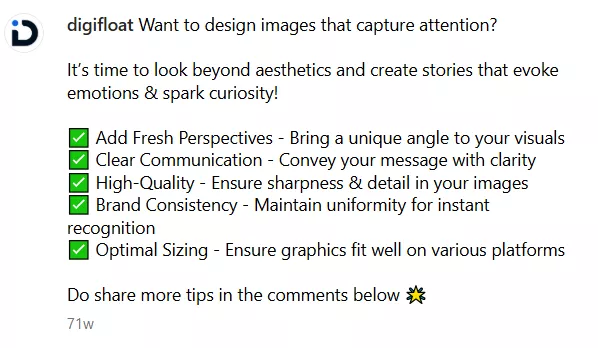
When you’re writing your caption, you should also think about hashtags. Now there’s a lot of debate on whether or not hashtags are still relevant. In fact, Instagram’s CEO, Adam Mosseri, said in a Story that hashtags no longer significantly impact reach. However, a lot of creators have seen growth in their accounts organically just by using hashtags.
We recommend that you definitely use hashtags, but instead of focusing on quantity, you need to focus on quality. That means you do not need 20 random hashtags. You can just use 5-6 well-researched ones that are relevant to your content, niche, or audience.
7. Preview & Post
Once everything is ready to go, take a minute for a final quality check. Make sure the transitions are smooth, the text is readable, and the audio syncs perfectly with the visuals. It also includes re-checking for grammatical errors in your caption and hashtags.
If everything looks good, you can either directly upload or schedule the reel for when your audience is most active.
Summing Up: How to Make an Instagram Reel
Reels are a crucial part of any social media strategy today – they’re quick, engaging, and great ways to reach new audiences. The best part is that creating them is just as simple and fun when you have a clear plan. So you start by finalizing your concept, planning your visuals, and picking the right music. Then you shoot and edit till everything looks perfect.
This is also where we come in… If you need help with the last and most crucial part, i.e., editing your reels, you can just sign up for our unlimited graphic design services. We’ll make sure you get scroll-stopping content each time.




0 Comments