
Has your perfectly planned profile grid suddenly gone wonky? It’s because Instagram recently updated its post dimensions and aspect ratios. This changes everything from how we design our graphics to how they’re displayed across the feed.
But worry not, this article breaks down what the new Instagram post size is and how you can use it to keep your visuals looking sharp.
Cheat Sheet - New Instagram Post Size Dimensions
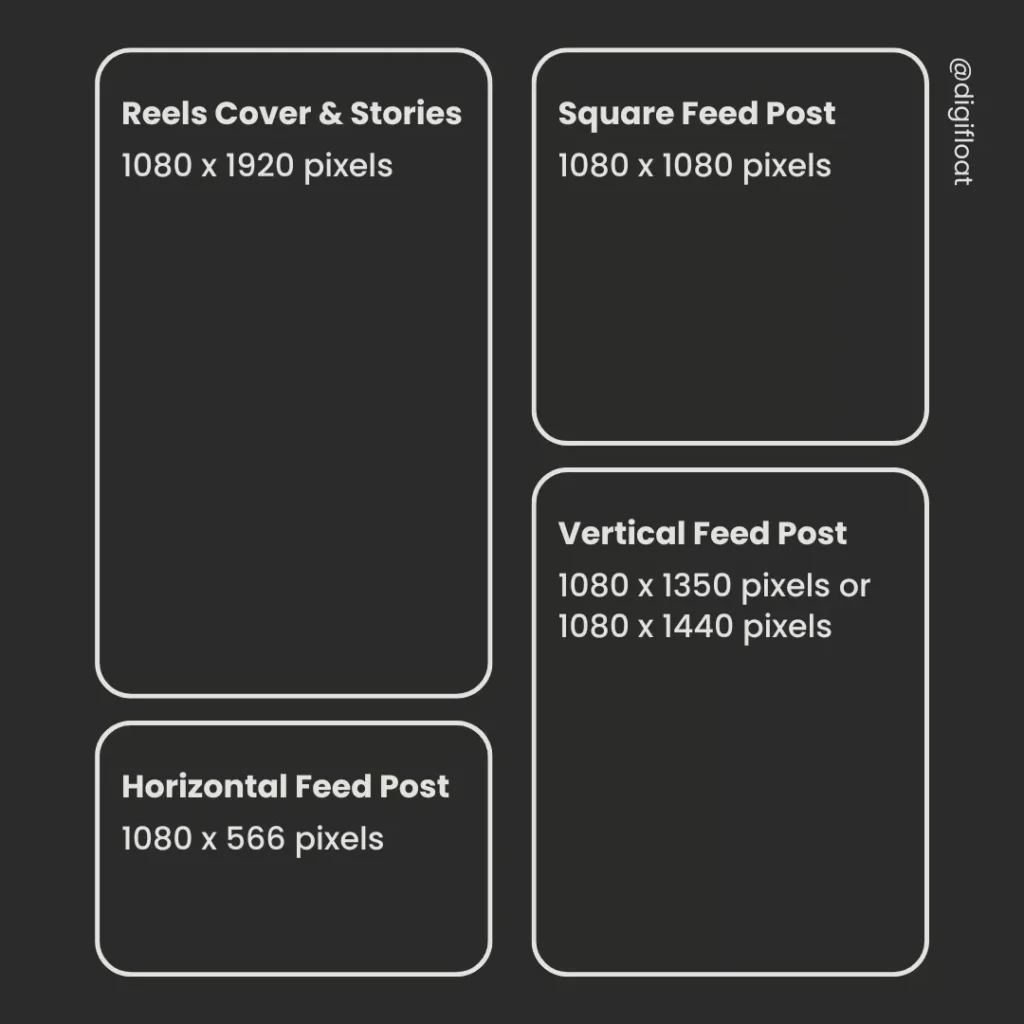
As of November 2025, Instagram supports a range of aspect ratios across posts, reels, and stories. The table below summarises them perfectly:
| Format | Ideal Size (pixels) | Aspect Ratio* |
| Profile Photo | 320 x 320 | 1:1 |
| Feed Post (Square) | 1080 x 1080 | 1:1 |
| Feed Post (Vertical) | 1080 x 1350 or 1080 x 1440 | 4:5 or 3:4 |
| Feed Post (Horizontal) | 1080 × 566 | 1.91:1 |
| Reels Cover or Thumbnail | 1080 x 1920 | 9:16 |
| Stories | 1080 x 1920 | 9:16 |
*Aspect ratio indicates the ratio between width and height. It’s written as width:height.
You’ll notice that the biggest change in Instagram post sizes is that now the platform focuses on a vertical-first approach. This is because most users scroll through the app on their phones, and vertical visuals naturally take up more screen space. It helps increase visibility and engagement.
This is also beneficial for creators, as now you get more space for your content. You can tell better stories with a little more height.
What About Instagram Post Sizes for Carousel?
You can upload carousel posts in various sizes, including 1080 x 1080 pixels (1:1), 1080 x 1350 pixels (4:5), 1080 x 1440 pixels (3:4), and even 1080 x 566 pixels (1.91:1).
Just remember that once you select the first image, Instagram locks the entire carousel to that aspect ratio. So, say if the first image is 1:1 but the second and third images are 3:4, Instagram will automatically crop or adjust the last two to fit the 1:1 format.
Therefore, you need to make sure all your images have the same aspect ratio.
Some Best Practices for Instagram Post Size 2025
Now that you know the updated Instagram post size, here are a few best practices to help your content always look its best:
Optimize for All Sizes
Always place your text or “main” element in the center. This will ensure that even if Instagram crops your image in previews or adjusts it for different feeds, the most important part of your design stays visible.
Maintain Consistency
Try sticking to one aspect ratio and visual style across your posts. This helps your grid look clean and cohesive.
Test the Grid
If you want to create a balanced and aesthetic grid layout, always preview how your posts will appear together before publishing.
Prioritize HQ Images
Do not compromise on the image quality. Instagram will always compress your files on upload, so start with sharp, high-quality images to keep your posts looking crisp.
Use Thumbnails
When creating reels, opt for a thumbnail instead of relying on a random frame. This will allow you to place key visuals or text correctly and increase engagement.
Final Thoughts: Best Size for Instagram Post
Instagram’s latest update is a reminder that design trends and platform formats are always changing. The new sizes we mentioned above will help you maintain a cohesive grid and ensure your posts always look their best across the platform.
Now, if you need more help designing your Instagram posts, just sign up for our unlimited graphic design services. We’ll give you access to a team of designers who can create on-brand, high-quality visuals that will increase your reach and engagement.




0 Comments